- These are the providers most English-speaking travelers use for Korea.
- Incheon Airport has staffed counters for all three Korean carriers — SK Telecom, KT, and LG U+ — and…
- Pocket WiFi routers for Korea generally rent for a few dollars a day — roughly $3–6/day for 4G unlim…
Who this is for
- Anyone who’s compared so many eSIM price tables they can no longer decide
- People with an older phone unsure whether eSIM works at all
- Anyone who got asked for a Korean phone number when booking a restaurant
The more connectivity comparisons you read, the harder the choice gets—because they all compare on price.
What actually decides it is your situation. Travelling alone with an eSIM-capable phone, the eSIM wins with almost no argument. Travelling as two or three people who move together and use a laptop, one shared pocket router costs less than several data plans.
“So which case am I?” Here’s the thing: the question isn’t which is cheapest but which case you are. Settle that and the price ordering takes care of the rest. Let’s get into it.
- 1. Short Unlimited Plans Sometimes Under $7! eSIM—the Main Providers and What They Cost
- 2. Some Counters Run 24 Hours! Physical SIM Cards at Incheon Airport
- 3. Split Three Ways, It’s the Cheapest per Head! Pocket WiFi Rental Prices
- 4. A Backup, Never the Plan! The Truth About Free WiFi in Seoul
- 5. Naver Map Has No Offline Mode! Side-by-Side Comparison Table
- 6. Two Facts Settle It! Which One Should You Choose?
1. Short Unlimited Plans Sometimes Under $7! eSIM—the Main Providers and What They Cost
✔ The providers most English-speaking travelers use for Korea
Prices change constantly with sales and exchange rates, so treat these as ballpark bands and check current pricing before you buy.
| Provider | Typical pricing | Korean phone number |
| Airalo | Small plans from about $4–5 (1GB); larger and unlimited-style plans available — check current pricing | No |
| Holafly | Unlimited data, priced per day (roughly $6–7/day range; check current pricing) | No |
| Klook / KKday | Frequent sales; short unlimited plans sometimes under $5–7 | Usually no (check the specific listing) |
| Ubigi | Data bundles (3GB, 10GB, etc.) at competitive rates — check current pricing | No |
If you mostly use maps, translation, and social media, a few GB goes a long way and Airalo’s small plans are hard to beat. If you refuse to think about data limits, Holafly’s unlimited plans are the set-and-forget option.
One thing almost no travel eSIM gives you: a Korean phone number that can receive calls. That matters more than you’d think—restaurants and salons in Seoul often confirm reservations by phone. If you need a number, see the airport SIM section below.
✔ Here’s the question that comes next. “Why Google Maps Fails in Korea and Why NAVER Map Is the Only App You Really” picks up right where this leaves off.
2. Some Counters Run 24 Hours! Physical SIM Cards at Incheon Airport
✔ Staffed counters for all three Korean carriers
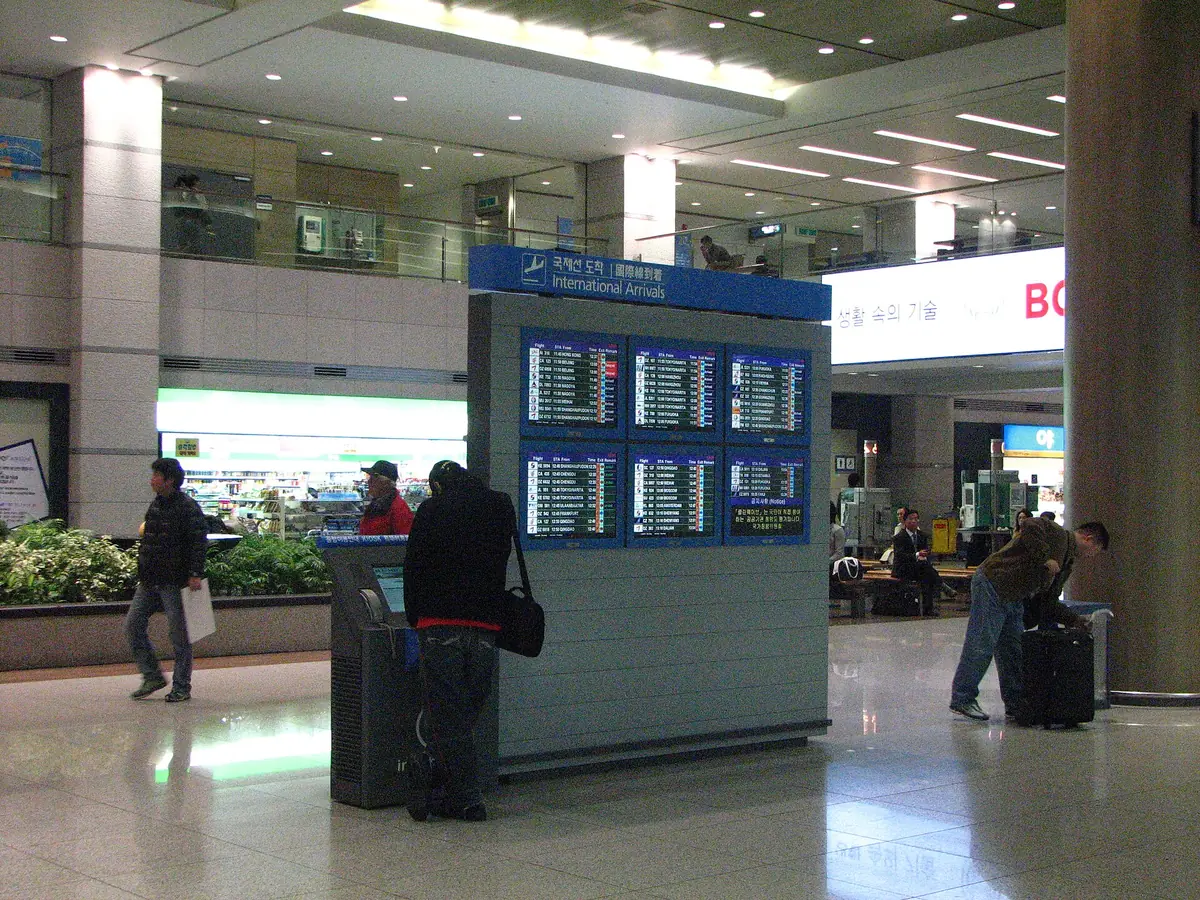
SK Telecom, KT, and LG U+ are all at Incheon, and some operate 24 hours. In Terminal 1, the late-night counters are between exit gates E and F; in Terminal 2, near gate 8.
Unlimited-data tourist SIMs run about 16,200 KRW (≈ $11.70) for 3 days and 31,500 KRW (≈ $22.70) for 7 days at KT. SK Telecom and LG U+ charge around 18,000 KRW (≈ $13) for 3 days and 35,000 KRW (≈ $25) for 7 days. All of these come with a real Korean phone number that can receive calls.
That’s slightly more than a discounted eSIM, but the staff handles everything—swapping the card, activation, testing. If you’re not confident with phone settings, or your phone doesn’t support eSIM, this is still a perfectly sensible choice in 2026.
3. Split Three Ways, It’s the Cheapest per Head! Pocket WiFi Rental Prices
✔ Roughly $3–6 a day for 4G unlimited
Pocket WiFi routers for Korea rent for a few dollars a day through platforms like Klook and KKday, with 5G routers costing more. You can pick one up at Incheon Airport and drop it off before your flight home.
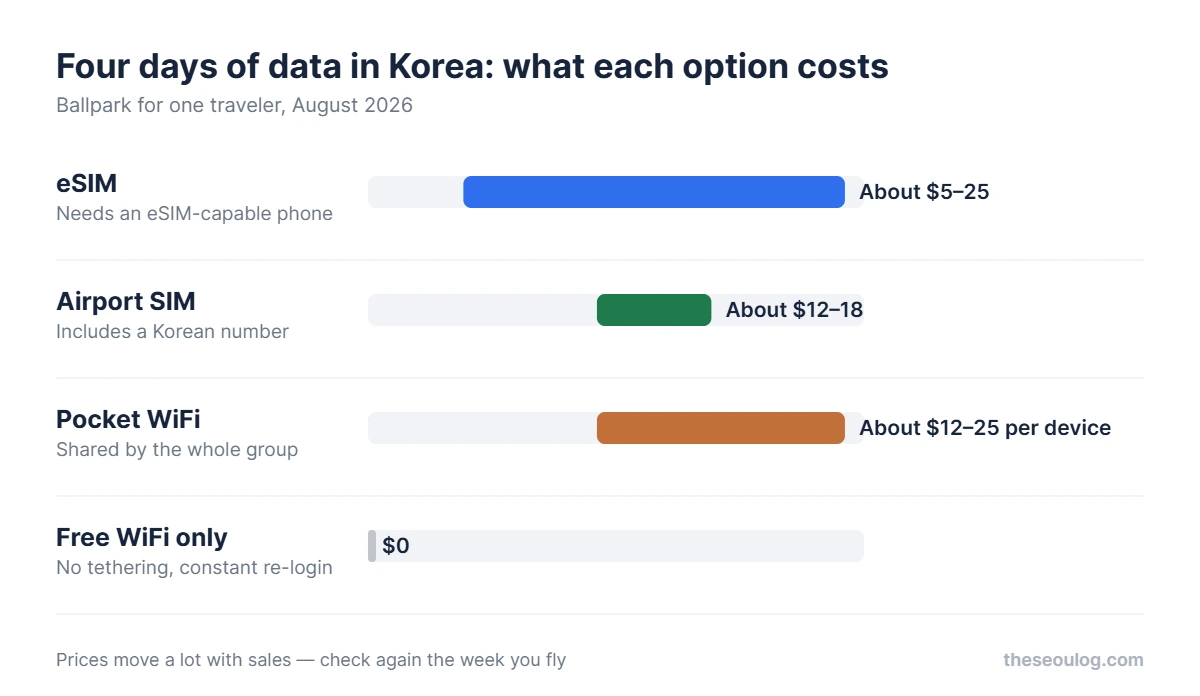
For a 4-day trip, expect somewhere around $12–25 per router. Split between two or three people sharing one device, the per-person cost becomes the cheapest option on this list. It also connects laptops and tablets without touching anyone’s phone settings.
4. A Backup, Never the Plan! The Truth About Free WiFi in Seoul
✔ Cafes and hotels almost always have WiFi
It’s usually fast, too. Seoul’s public network, Kkachi On (까치온), keeps expanding through subway stations and public facilities.
But if your trip involves walking around outdoors with a map and a translation app open—and it will—relying on free WiFi is not realistic. Between the connection gaps and the security concerns of open networks, treat free WiFi strictly as a backup, never as your plan.
5. Naver Map Has No Offline Mode! Side-by-Side Comparison Table
| Method | 4-day trip, ballpark | Setup | Tethering | Phone number |
| eSIM | About $5–25 | Scan a QR code; eSIM-capable phone required | Depends on plan (most allow it) | Rarely |
| Airport SIM | About $12–18 | Staff does it all | Yes | Yes |
| Pocket WiFi | About $12–25 per device | Just switch it on | Multiple devices at once — its whole point | No |
| Free WiFi | $0 | Reconnecting everywhere gets old fast | No | No |
The main reason you need data is the map: Naver Map has no usable offline mode. For picking up a SIM on arrival and getting into the city, see the airport transfer comparison.
6. Two Facts Settle It! Which One Should You Choose?
✔ Any iPhone from the XS onward supports eSIM
So do recent Google Pixels, Samsung Galaxy flagships, and most other current phones. One check before you buy: a carrier-locked phone can’t use a travel eSIM, so confirm yours is unlocked first. If your phone qualifies and you’re traveling solo or as a couple, an eSIM is the obvious answer—cheapest, and activated before you even board your flight.
If your phone is older or you’d rather not touch settings at all, buy a SIM at the Incheon counter. If your family or group moves together and someone needs a laptop online, rent one pocket WiFi and split it. And if you need to receive reservation calls in Korea, the airport SIM is the reliable way to get a working number.
- Unlimited eSIMs for a 3–4 day trip generally land in the $10–25 range; Klook and KKday sales can push short plans under $7
- eSIM-capable phone + independent travel → eSIM wins on price and convenience
- Older phone, or want zero setup → Incheon Airport SIM counter (3 days from about $11.70, with a phone number)
- Group of 2–3 sticking together, laptops in tow → one pocket WiFi router, cost split
- Free WiFi is a backup only; need a Korean number → airport SIM
✔ Were it my trip, I’d stop comparing right here
Grab whatever short unlimited eSIM is on sale on Klook, install it the night before the flight, and spend the saved brainpower deciding where to eat instead.
For products with many options, a branching rule beats a comparison table. Two facts—your handset and your headcount—resolve this one almost entirely. Settle your case and install before you fly!
Frequently asked questions
eSIM or a SIM card at the airport — which should I get?
If your phone supports eSIM and you are travelling independently, take the eSIM. Unlimited plans for a 3–4 day trip run about $10–25 and you activate before you fly. If your phone is older or you would rather not touch any settings, the Incheon Airport SIM counters handle it for you — KT starts around $11.70 for three days.
Do I need a Korean phone number?
Only if you plan to book popular restaurants, which confirm reservations by calling a Korean number. KT-network eSIMs and physical SIMs bought at the airport come with a number that can receive calls. For data-only use, you do not need one.
Is pocket WiFi still worth renting?
When you are travelling as a group. One device covers several phones and a laptop, so for two or three people moving together the maths flips. Korean 4G unlimited rentals run roughly $3–6 per day. Travelling solo, the charging and carrying overhead is not worth it.
Can I get by on free WiFi in Seoul?
Not comfortably. Cafes and convenience stores are well covered and Seoul is expanding its public network (Kkachi-on), but if you are outdoors using maps and translation all day, you will drop out of coverage. NAVER Map does not work offline. Treat free WiFi as a backup.
How much data do I actually need?
About 1GB per day is plenty for maps, translation and social media, and small plans like Airalo cost very little for that. The dividing line is video and tethering — if you plan to stream or hotspot a laptop, buy an unlimited plan instead.
This article is based on the official information below. Rules can change, so please check the original before you travel.
· HiKorea (Korea Immigration Service)
Information as of 2026-08-14 (official listings and Google Maps as shown at publication). Updated when things change.